
AI Coding Agents in CI/CD: Automate Reviews and Bug Fixes
Integrate AI coding agents into your CI/CD pipeline: automated PR reviews, auto-fix on failing tests, GitHub Actions orchestration, and production safety.
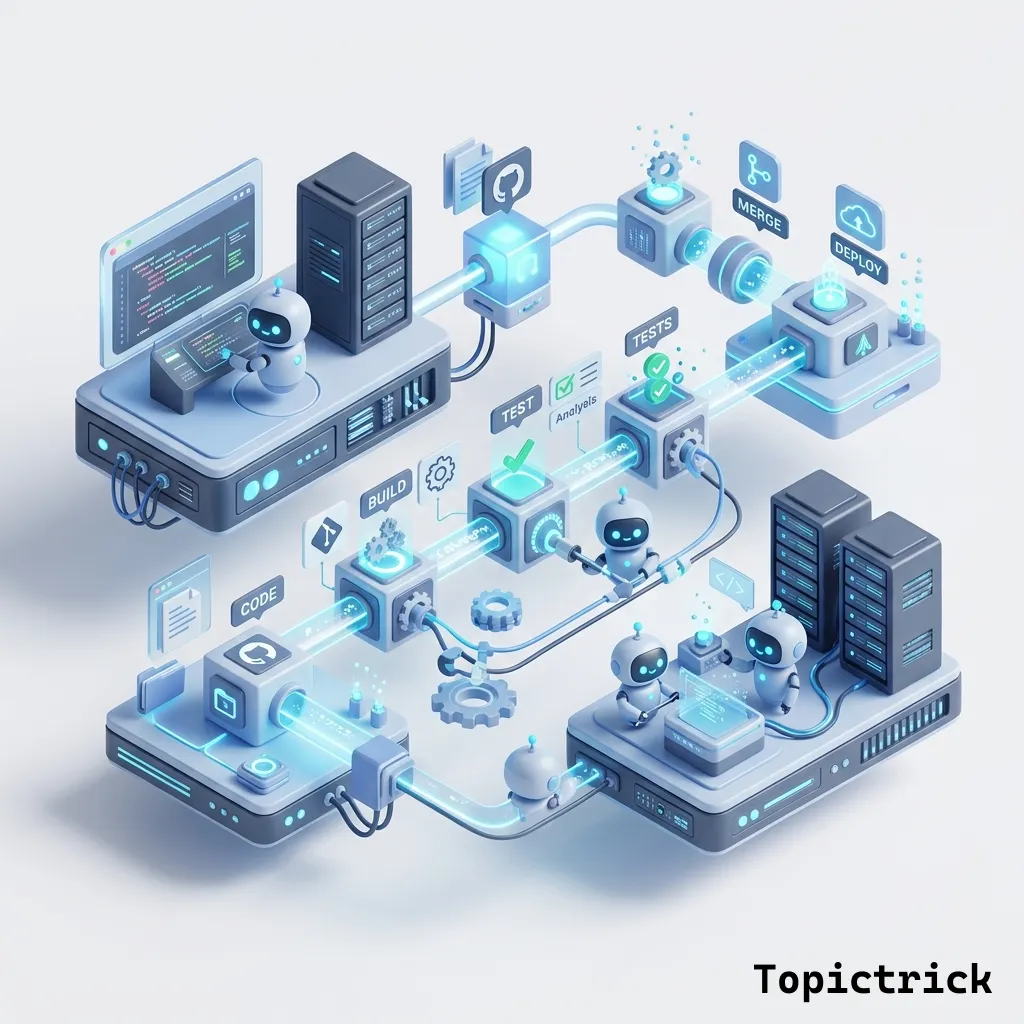
Running an AI coding agent locally is impressive. Running it reliably in production — triggered automatically by CI/CD events, bounded by cost controls, gated by human approval where appropriate, and observable when something goes wrong — is a different engineering challenge.
What Does CI/CD Integration for AI Agents Actually Mean?
Integrating AI coding agents into CI/CD means wiring autonomous agents — PR reviewers, bug fixers, maintenance bots — as first-class participants in your automated pipeline. Each agent is triggered by GitHub Actions events, bounded by token budgets and iteration limits, gated by human approval where appropriate, and logged for full observability. The result is continuous, automated engineering assistance that runs 24/7 without replacing human review.
This post is about that second step. You have built the agents (PR reviewer, bug fixer, general coding agent). Now you will integrate them into a production CI/CD pipeline with the safety and observability patterns that make autonomous agents trustworthy.
This post assumes you have built the agents from the previous posts in this series: PR Review Agent and Bug Fixer Agent. We are orchestrating those agents here, not rebuilding them.
The Target Architecture
The complete CI/CD integration has four automated workflows:
+-----------------------------------------------+
|               Developer pushes code           |
+----------------------+------------------------+
           |
       +---------v------------------------+
       | GitHub Actions: PR opened/updated|
       +---------+------------------------+
           |
  +--------------v------------------------+
  | 1. AI PR Review Agent                 |
  |    Posts review, requests changes     |
  +--------------+------------------------+
           |
         (if review passes)
           |
  +--------------v------------------------+
  | 2. CI Test Suite runs                 |
  |    (your existing tests)              |
  +--------------+------------------------+
           |
  +--------------v------------------------+
  | 3. Auto-fix Agent (if tests fail)     |
  |    Attempts fix, opens new commit     |
  +--------------+------------------------+
           |
    (human approval gate)
           |
  +--------------v------------------------+
  | 4. Nightly maintenance agent          |
  |    Runs on schedule: fix flaky tests, |
  |    update deps, clean tech debt       |
  +---------------------------------------+
Each workflow is a separate GitHub Actions job. They are connected by outputs, conditions, and manual approval gates where warranted.
Workflow 1: Automated PR Review
# .github/workflows/ai-pr-review.yml
name: AI PR Review

on:
  pull_request:
    types: [opened, synchronize, ready_for_review]

concurrency:
  group: ai-review-${{ github.event.pull_request.number }}
  cancel-in-progress: true   # Cancel previous review if PR is updated

jobs:
  ai-review:
    runs-on: ubuntu-latest
    # Security: only run on PRs from the same repo (not forks)
    if: |
      github.event.pull_request.draft == false &&
      github.event.pull_request.head.repo.full_name == github.repository
    timeout-minutes: 10

    outputs:
      verdict: ${{ steps.review.outputs.verdict }}
      issues_count: ${{ steps.review.outputs.issues_count }}

    steps:
      - uses: actions/checkout@v4
        with:
          fetch-depth: 0

      - uses: actions/setup-python@v5
        with:
          python-version: "3.11"

      - name: Install dependencies
        run: pip install anthropic PyGithub

      - name: Run AI review
        id: review
        env:
          ANTHROPIC_API_KEY: ${{ secrets.ANTHROPIC_API_KEY }}
          GITHUB_TOKEN: ${{ secrets.GITHUB_TOKEN }}
          PR_NUMBER: ${{ github.event.pull_request.number }}
          REPO_NAME: ${{ github.repository }}
        run: |
          python - <<'EOF'
          import os, json
          from pr_reviewer.agent import PRReviewAgent

          agent = PRReviewAgent(
              github_token=os.environ["GITHUB_TOKEN"],
              repo_name=os.environ["REPO_NAME"],
          )
          review = agent.review_pr(
              int(os.environ["PR_NUMBER"]),
              post_to_github=True
          )

          # Export outputs for downstream jobs
          verdict = review.get("verdict", "COMMENT")
          issues = [i for i in review.get("issues", []) if i["severity"] in ("critical", "major")]
          print(f"verdict={verdict}")
          print(f"issues_count={len(issues)}")

          with open(os.environ["GITHUB_OUTPUT"], "a") as f:
              f.write(f"verdict={verdict}\n")
              f.write(f"issues_count={len(issues)}\n")
          EOF

      - name: Block merge on critical issues
        if: steps.review.outputs.verdict == 'REQUEST_CHANGES'
        run: |
          echo "AI review requested changes. Merge blocked until issues are resolved."
          exit 1
Workflow 2: Auto-Fix on Test Failure
This workflow triggers when tests fail on a PR and attempts an automatic fix:
# .github/workflows/ai-auto-fix.yml
name: AI Auto-Fix

on:
  workflow_run:
    workflows: ["CI Tests"]   # Name of your test workflow
    types: [completed]
  # Also allow manual trigger
  workflow_dispatch:
    inputs:
      pr_number:
        description: "PR number to attempt auto-fix on"
        required: true

jobs:
  attempt-fix:
    runs-on: ubuntu-latest
    # Only run when tests fail on a PR branch (not main)
    if: |
      github.event.workflow_run.conclusion == 'failure' &&
      github.event.workflow_run.head_branch != 'main' &&
      github.event.workflow_run.head_branch != 'master'
    timeout-minutes: 20

    steps:
      - uses: actions/checkout@v4
        with:
          ref: ${{ github.event.workflow_run.head_sha }}
          token: ${{ secrets.GITHUB_TOKEN }}

      - uses: actions/setup-python@v5
        with:
          python-version: "3.11"

      - name: Install dependencies
        run: pip install anthropic pytest

      - name: Configure git
        run: |
          git config user.name "AI Bug Fixer Bot"
          git config user.email "ai-bot@yourcompany.com"

- name: Run auto-fix agent- Developer pushes code
- GitHub Actions: PR opened/updated
- AI PR Review Agent posts review, requests changes
- CI Test Suite runs
- Auto-fix Agent runs if tests fail
- Human approval gate
- Nightly maintenance agent runs on schedule
  if result.success:
      print("Auto-fix succeeded")
      exit(0)
  else:
      print(f"Auto-fix failed: {result.description}")
      exit(1)
  EOF

- name: Commit and push fix
if: steps.autofix.outcome == 'success'
run: |
  # Only commit if there are changes
  if git diff --quiet; then
    echo "No file changes to commit"
    exit 1
  fi

  RESULT=$(cat fix_result.json | python3 -c "import sys,json; print(json.load(sys.stdin)['description'])")
  git add -A
  git commit -m "fix: AI auto-fix - $RESULT [skip ci]"
  git push

- name: Post fix comment to PR
if: always()
env:
  GITHUB_TOKEN: ${{ secrets.GITHUB_TOKEN }}
  REPO_NAME: ${{ github.repository }}
run: |
  python - <<'EOF'
  import os, json
  from github import Github

  with open("fix_result.json") as f:
      result = json.load(f)

  gh = Github(os.environ["GITHUB_TOKEN"])
  repo = gh.get_repo(os.environ["REPO_NAME"])

  # Find the PR for this branch
  head_sha = "${{ github.event.workflow_run.head_sha }}"
  prs = repo.get_pulls(state="open")
  pr = next((p for p in prs if p.head.sha == head_sha), None)

  if pr:
      if result["success"]:
          body = (
              f"🤖 **Auto-Fix Applied**\n\n"
              f"The CI failure was automatically fixed in {result['iterations']} iterations.\n\n"
              f"**Change:** {result['description']}\n\n"
              f"**Files modified:** {', '.join(result['files_changed'])}\n\n"
              f"Please review the commit and re-run CI to confirm."
          )
      else:
          body = (
              f"🤖 **Auto-Fix Failed**\n\n"
              f"The AI bug fixer could not automatically resolve the CI failure "
              f"after {result['iterations']} iterations.\n\n"
              f"**What was tried:** {result['description'][:500]}\n\n"
              f"Manual investigation is required."
          )
      pr.get_issue().create_comment(body)
  EOF
Auto-Push Safety
Automatically pushing AI-generated commits to PR branches is powerful but carries risk. Consider requiring a human approval step (GitHub Environments with required reviewers) before pushing to the branch. Use '[skip ci]' in auto-fix commit messages to prevent infinite CI loops. Never auto-push directly to main or master.
Workflow 3: Human-in-the-Loop Gate
For higher-stakes operations, require explicit human approval before the agent acts:
# .github/workflows/ai-dependency-update.yml
name: AI Dependency Update

on:
  schedule:
    - cron: "0 9 * * 1"   # Every Monday at 9am UTC
  workflow_dispatch:

jobs:
  generate-update-plan:
    runs-on: ubuntu-latest
    environment: ai-actions   # ← GitHub Environment with required reviewers
    # This job pauses until a reviewer approves it in the GitHub Actions UI
    steps:
      - uses: actions/checkout@v4
      - uses: actions/setup-python@v5
        with:
          python-version: "3.11"
      - name: Run dependency update agent
        env:
          ANTHROPIC_API_KEY: ${{ secrets.ANTHROPIC_API_KEY }}
        run: |
          python run_dependency_agent.py
To set up the environment gate:
- Go to repository Settings -> Environments -> New environment
- Name it
ai-actions - Add Required reviewers - your senior engineers
- Any job using
environment: ai-actionswill pause and send a notification requesting approval
Workflow 4: Nightly Maintenance Agent
A scheduled agent that handles low-risk maintenance tasks overnight:
# .github/workflows/ai-nightly-maintenance.yml
name: AI Nightly Maintenance

on:
  schedule:
    - cron: "0 2 * * *"   # 2am UTC every night

jobs:
  maintenance:
    runs-on: ubuntu-latest
    timeout-minutes: 30

    strategy:
      matrix:
        task:
          - name: "fix-flaky-tests"
            prompt: "Find and fix any flaky tests (tests that sometimes pass and sometimes fail without code changes). Run the test suite 3 times and identify tests with inconsistent results."
          - name: "update-type-hints"
            prompt: "Add missing Python type hints to functions that lack them in the src/ directory. Focus on public API functions. Run mypy to verify no type errors are introduced."
          - name: "remove-dead-code"
            prompt: "Identify and remove unused imports and obviously dead code (unreachable code, unused variables). Run tests to verify nothing breaks."

    steps:
      - uses: actions/checkout@v4
      - uses: actions/setup-python@v5
        with:
          python-version: "3.11"
      - name: Install dependencies
        run: pip install anthropic pytest mypy
      - name: Run maintenance task
        env:
          ANTHROPIC_API_KEY: ${{ secrets.ANTHROPIC_API_KEY }}
          TASK_NAME: ${{ matrix.task.name }}
          TASK_PROMPT: ${{ matrix.task.prompt }}
        run: |
          python run_maintenance_agent.py
      - name: Open PR if changes were made
        run: |
          if ! git diff --quiet; then
            git config user.name "AI Maintenance Bot"
            git config user.email "ai-bot@yourcompany.com"
            git checkout -b "ai-maintenance/$TASK_NAME-$(date +%Y%m%d)"
            git add -A
            git commit -m "chore(ai): $TASK_NAME maintenance"
            git push origin HEAD
            gh pr create \
              --title "AI Maintenance: $TASK_NAME" \
              --body "Automated maintenance task. Please review before merging." \
              --label "ai-generated"
          fi
        env:
          GITHUB_TOKEN: ${{ secrets.GITHUB_TOKEN }}
          TASK_NAME: ${{ matrix.task.name }}
Cost Controls
Without controls, autonomous agents can run up significant API costs. Three layers of protection:
1. Per-Run Token Budget
# Wrap the Anthropic client with token tracking
class BudgetedClient:
    def __init__(self, max_tokens_per_run: int = 100_000):
        self.client = anthropic.Anthropic()
        self.tokens_used = 0
        self.max_tokens = max_tokens_per_run

    def messages_create(self, **kwargs) -> anthropic.types.Message:
        if self.tokens_used >= self.max_tokens:
            raise RuntimeError(
                f"Token budget exceeded: used {self.tokens_used}/{self.max_tokens}"
            )
        response = self.client.messages.create(**kwargs)
        self.tokens_used += response.usage.input_tokens + response.usage.output_tokens
        return response

    @property
    def estimated_cost_usd(self) -> float:
        # claude-sonnet-4-6 pricing: $3/M input, $15/M output (approximate)
        return self.tokens_used * 0.000009   # conservative average
2. Iteration Limits
Always set max_iterations conservatively. Most tasks complete in 5-10 iterations. An agent still running at iteration 25 has either hit an edge case or is looping - either way, stopping it is the right call.
agent = BugFixerAgent(max_iterations=15) # Stop after 15 iterations3. GitHub Actions Monthly Spending Limit
In GitHub Settings -> Billing, set a spending limit for Actions. This caps compute costs regardless of how many workflows run.
Observability: Tracking Agent Activity
In production, you need to know what your agents did, how long they ran, and how much they cost.
# observability/agent_logger.py
import json
import os
from datetime import datetime
from pathlib import Path


class AgentLogger:
    """
    Logs agent runs to a JSONL file for auditing and cost tracking.
    Each line is one agent run.
    """

    def __init__(self, log_path: str = "./agent_runs.jsonl"):
        self.log_path = Path(log_path)

    def log_run(
        self,
        agent_type: str,
        task: str,
        success: bool,
        iterations: int,
        tokens_used: int,
        files_changed: list[str],
        error: str = "",
    ) -> None:
        entry = {
            "timestamp": datetime.utcnow().isoformat(),
            "agent_type": agent_type,
            "task": task[:200],
            "success": success,
            "iterations": iterations,
            "tokens_used": tokens_used,
            "estimated_cost_usd": round(tokens_used * 0.000009, 4),
            "files_changed": files_changed,
            "error": error[:500] if error else "",
            "github_run_id": os.environ.get("GITHUB_RUN_ID", "local"),
            "github_actor": os.environ.get("GITHUB_ACTOR", ""),
        }

        with open(self.log_path, "a", encoding="utf-8") as f:
            f.write(json.dumps(entry) + "\n")

    def summary(self, last_n_runs: int = 50) -> dict:
        """Return aggregated metrics for the last N runs."""
        if not self.log_path.exists():
            return {}

        lines = self.log_path.read_text().strip().splitlines()
        runs = [json.loads(line) for line in lines[-last_n_runs:]]

        return {
            "total_runs": len(runs),
            "success_rate": sum(r["success"] for r in runs) / len(runs),
            "avg_iterations": sum(r["iterations"] for r in runs) / len(runs),
            "total_tokens": sum(r["tokens_used"] for r in runs),
            "total_cost_usd": sum(r["estimated_cost_usd"] for r in runs),
            "most_changed_files": _top_files(runs),
        }


def _top_files(runs: list[dict]) -> list[str]:
    from collections import Counter
    counter = Counter()
    for run in runs:
        for f in run.get("files_changed", []):
            counter[f] += 1
    return [f for f, _ in counter.most_common(10)]
Production Safety Checklist
Before enabling autonomous AI agents in your CI/CD pipeline, verify each item:
- [ ] Fork PR protection: workflows check that the PR is from the same repo, not a fork
- [ ] Branch protection: agents cannot push directly to
mainormaster - [ ] Iteration limits: every agent has a
max_iterationsceiling - [ ] Token budget: per-run token limit prevents runaway costs
- [ ] Path traversal protection: file tool restricts all operations to the project directory
- [ ] Command blocklist: shell tool blocks destructive commands (
rm -rf,sudo) - [ ] Skip-CI commits: auto-fix commits include
[skip ci]to prevent CI loops - [ ] Human approval gates: high-stakes actions route through GitHub Environments with required reviewers
- [ ] Agent run logging: every run is logged with token count, outcome, and files changed
- [ ] Secrets are secrets:
.envfiles are in.gitignore; secrets are in GitHub Secrets, not hardcoded - [ ] Timeout on all jobs: every GitHub Actions job has a
timeout-minutesto cap runaway compute
The Developer Experience
When this pipeline is running in production, the developer experience looks like this:
- Developer opens a PR
- Within 2-3 minutes: AI review appears as a PR review comment with structured feedback
- If the review requests changes, the PR is blocked until addressed
- Developer pushes fixes, CI runs, tests pass
- If tests fail: an auto-fix attempt is made within 5 minutes; if successful, a fix commit appears; if not, a comment explains what the agent tried
- PR is approved and merged
- Overnight: maintenance agents run on a schedule, keeping the codebase clean
Human reviewers are still needed for architecture, security decisions, and the AI review output itself - but all of the first-pass mechanical work is handled automatically.
Key Takeaways
- CI/CD integration turns one-off agent scripts into continuous, automated engineering assistance
- GitHub Actions provides the orchestration layer: events, outputs, conditions, concurrency controls, and secrets management
- Human approval gates via GitHub Environments are the right tool for higher-stakes agent actions
- Cost control requires three layers: per-run token budgets, iteration limits, and platform-level spending caps
- Observability - structured logging of every agent run - is what lets you confidently expand agent autonomy over time as you verify reliability
- Start narrow: deploy the PR review agent first (read-only, low risk), measure quality, then gradually expand to auto-fix and maintenance
AI Coding Agents Series - Complete
You have now completed the full AI Coding Agents Series:
- What Are AI Coding Agents?
- AI Coding Agents Compared: GitHub Copilot vs Cursor vs Devin vs Claude Code
- Build Your First AI Coding Agent with the Claude API
- Build an Automated GitHub PR Review Agent
- Build an Autonomous Bug Fixer Agent
- AI Coding Agents in CI/CD: Automate Code Reviews and Fixes in Production ← you are here
For more agent architecture patterns, see the Anthropic AI Tutorial Series - particularly the posts on AI Agents and Model Context Protocol.
Shell scripting foundation: The AI pipeline scripts in this guide rely on solid Bash knowledge. Bash in CI/CD Pipelines — part of the Linux & Bash Scripting course — covers writing reliable shell scripts for GitHub Actions, environment variable handling, and exit code management.
Shell scripting foundations for CI/CD: The pipeline scripts in this guide depend on well-written Bash. Bash Variables, Arrays & Strings and Bash Functions & Control Flow are the Linux & Bash Scripting course lessons that cover the patterns used throughout — parameter expansion, arrays for file lists, and conditional logic for multi-step pipelines.
For the security side of running automated agents in production, see Basic Threat Detection for Developers and How to Protect APIs from Attacks. For cost management patterns, refer to Claude API Pricing and Tokens Explained.
External Resources
- GitHub Actions: Events that trigger workflows - official reference for all CI/CD trigger events used in this guide.
- Anthropic API documentation - reference for the Claude API used by all agents in the pipeline.
Part of the Claude AI Masterclass.